

 Italiano
 Español
FreeNAS is a powerful operating system to build customizable NAS solutions. With this tutorial we are going to see how to configure an FTP server to allow a user or a group of users to store and download data to/from the NAS.
The configuration will take a few minutes but it’s not as intuitive as it should be.
The first step is to create the Dataset we will share via FTP:
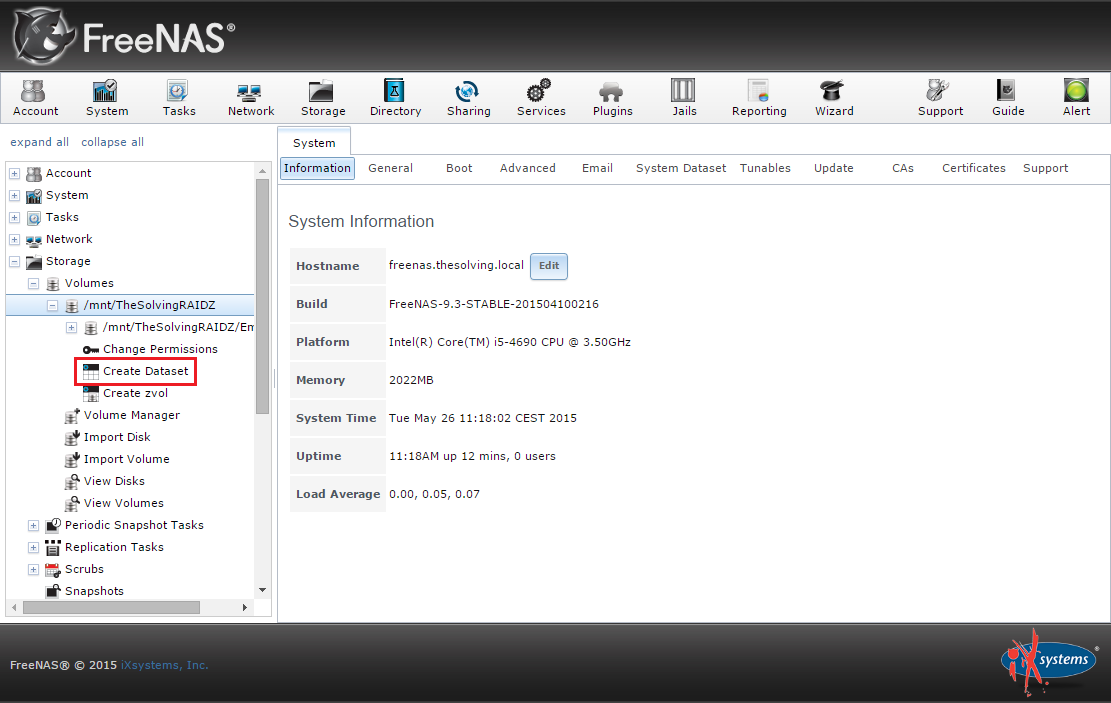
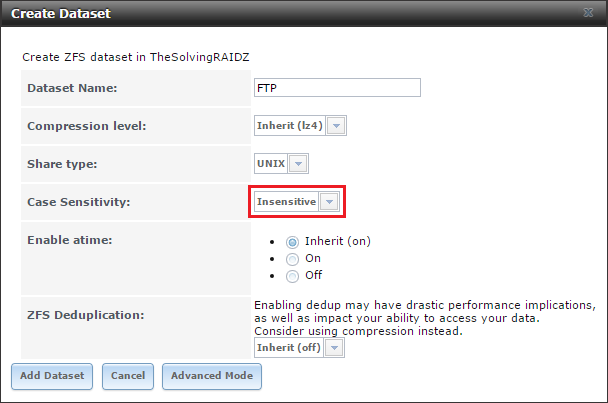
The configuration is straightforward, be careful to correctly set the Case Sensitivity:
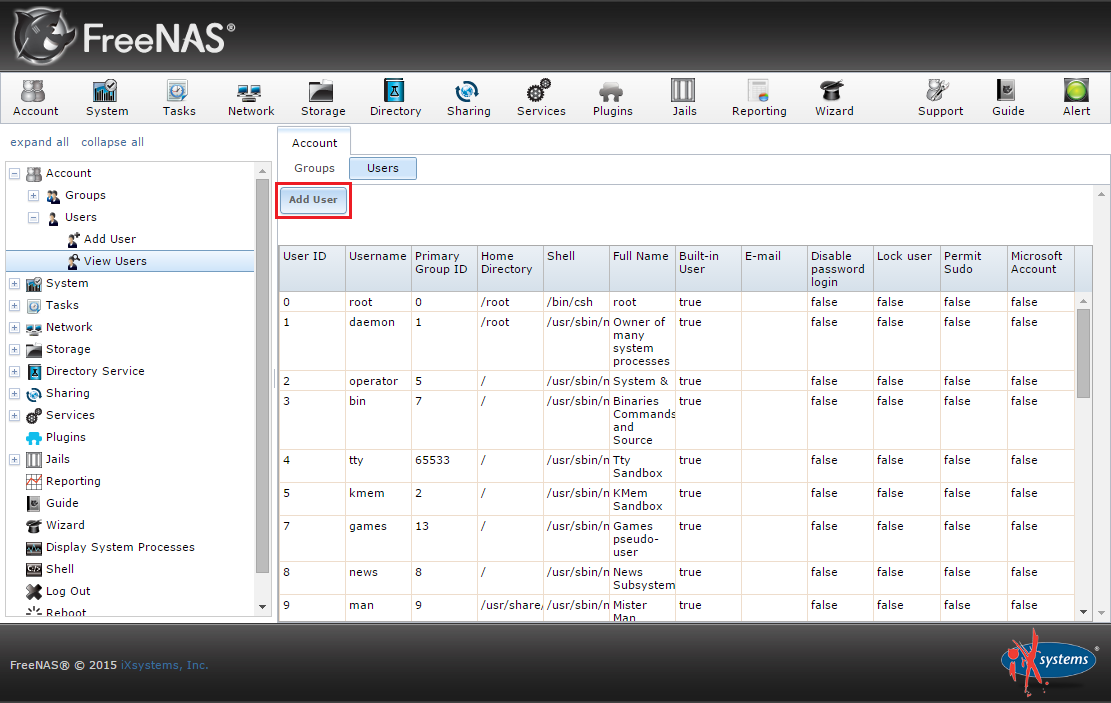
Go to the Users area and add a new user, the one able to access the FTP share:
Assign as home the FTP folder:
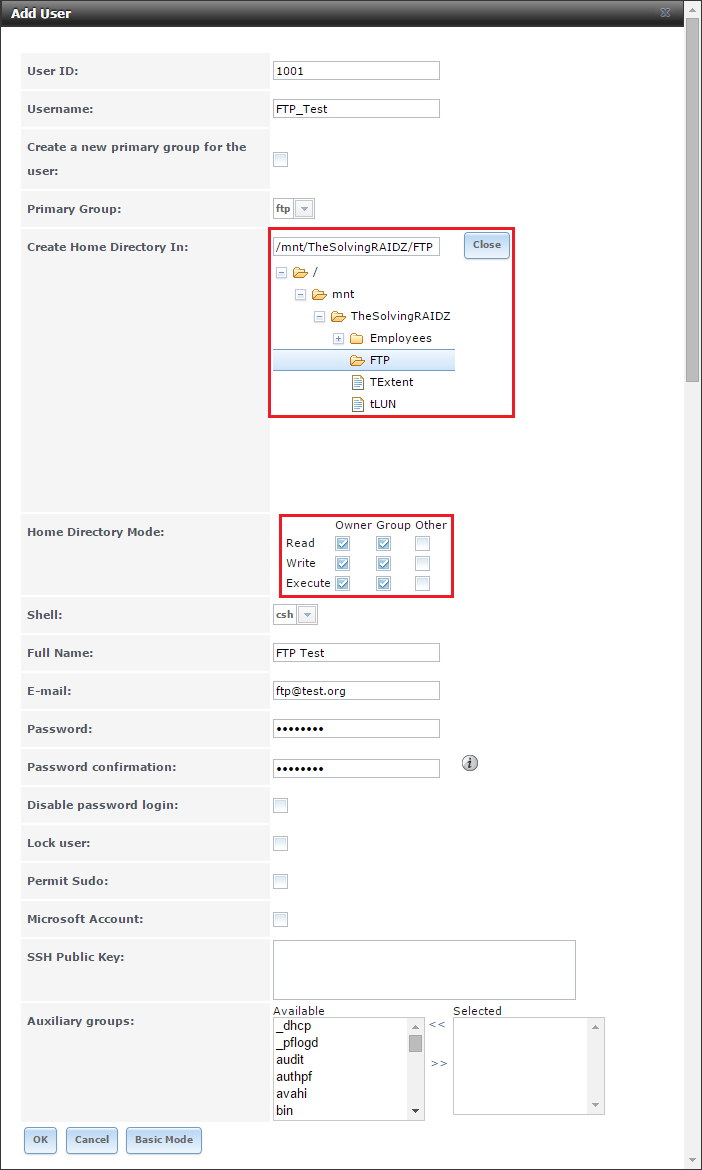
Assign to the user the write permissions to the FTP Dataset:
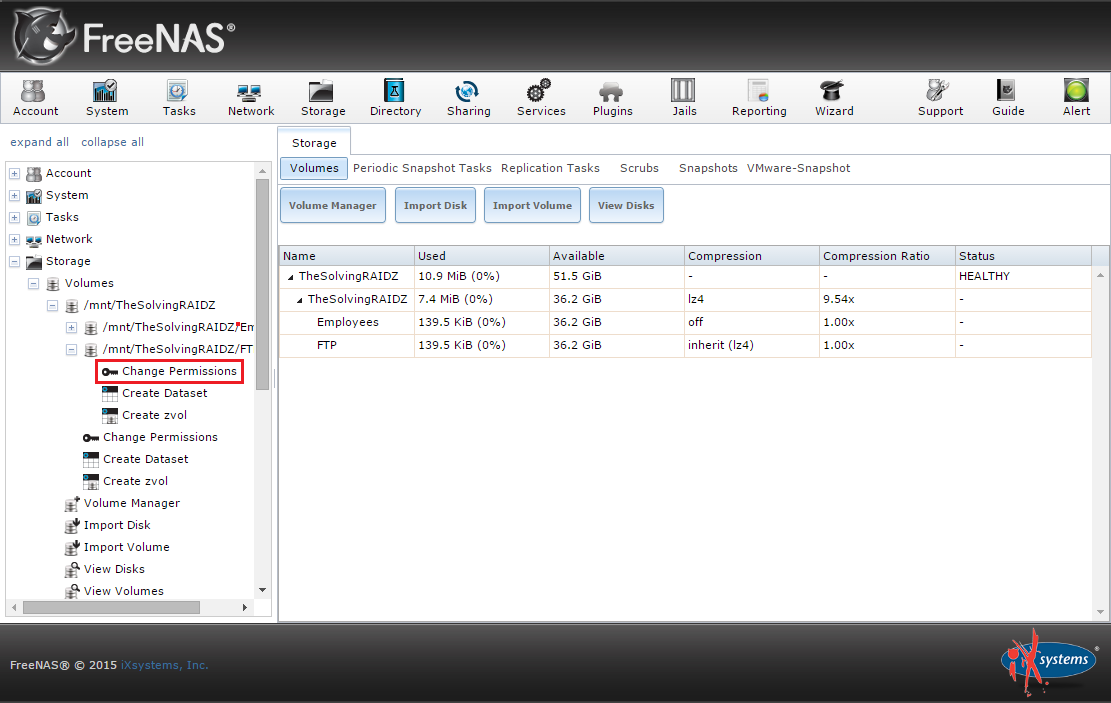
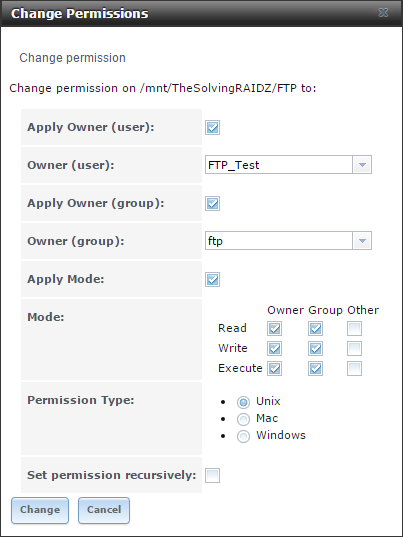
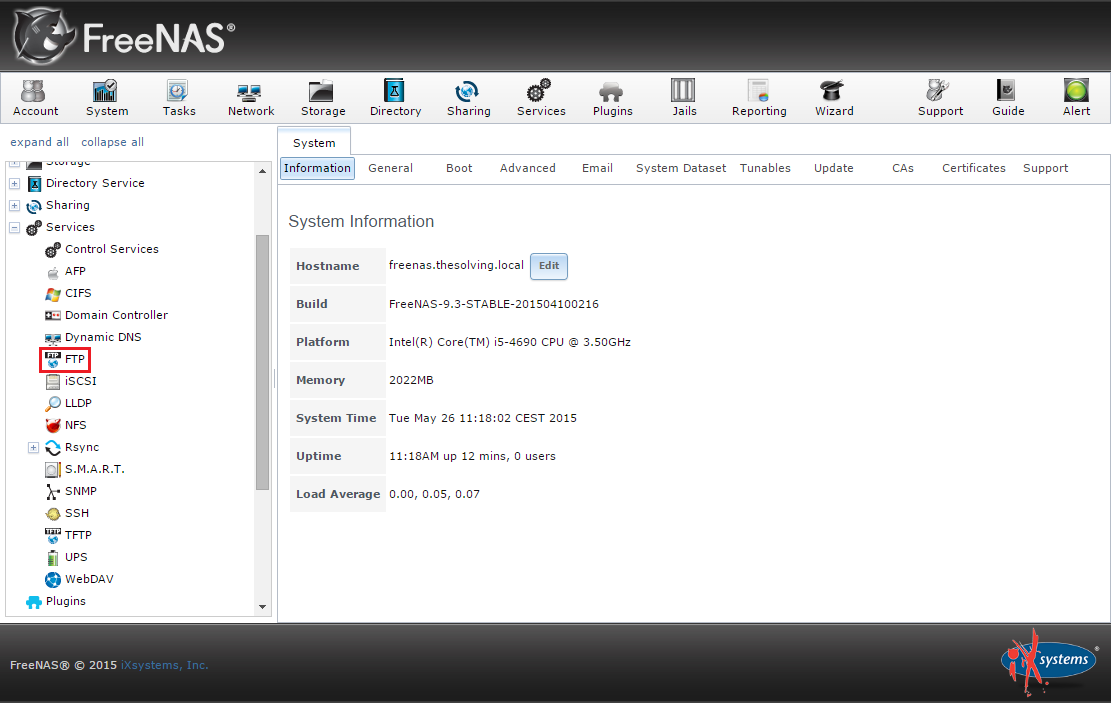
It’s time to configure and run the FTP server. Go to the Services area and click FTP:
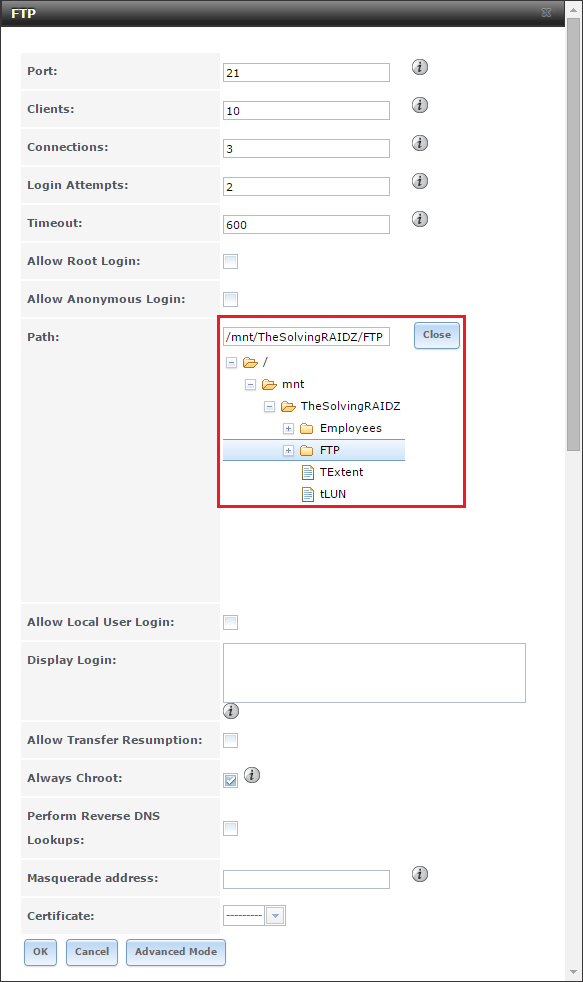
Select the FTP folder, then click Ok:
Enable the FTP service:
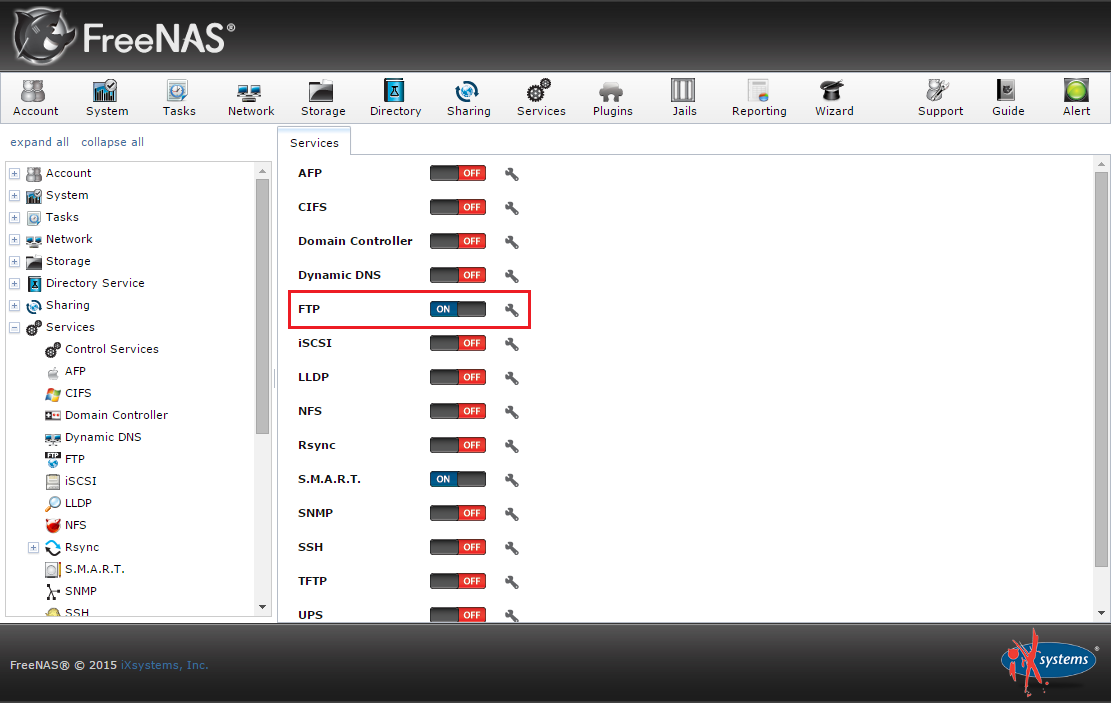
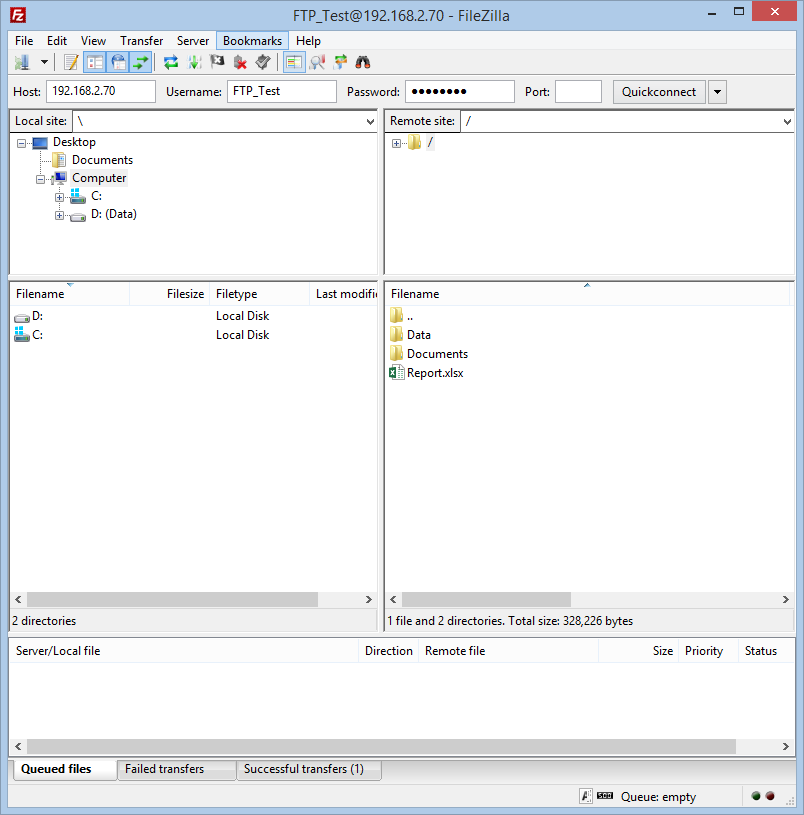
You’re ready to use the FTP server:
Read related articles
How to reset NTFS permissions with ICACLS
Learn how to fix broken NTFS/ACL permissions on Windows Server using ICACLS: reset ACLs, handle access denied errors, take ownership, and back up permission trees safely.
Configuring and using Windows Deployment Services (WDS)
A 2026 guide to WDS: installation, PXE boot, boot/install images, and the limitations introduced with Windows 11 and Server 2025.
How to install and configure Windows Server Update Services (WSUS)
How to install and configure WSUS in 2026: client groups, approval rules, database maintenance, and the critical CVE to patch.