

 Italiano
 Español
We’ve already seen how you can install IIS (Internet Information Services) on Windows 8.1 for testing purposes. Now, we’ll see how you can install IIS on a server machine, to host your website for production purposes.
There’s no much differences between the two procedures. The installation is quick and easy.
Step one: Install the Web Server (IIS) role
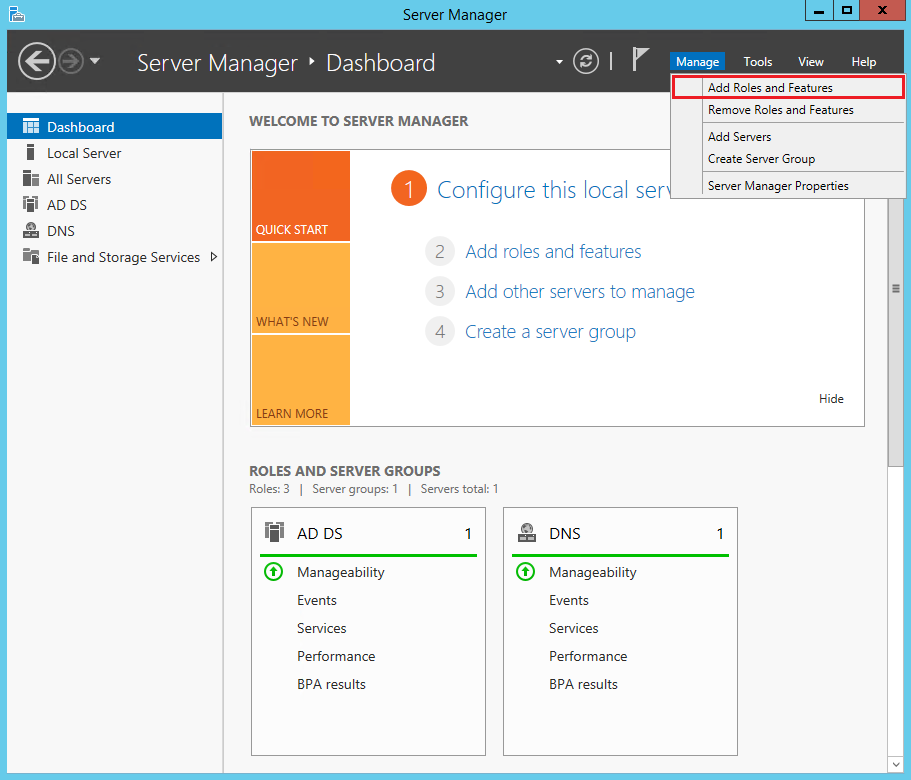
Open the Server Manager and click Add Roles and Features:
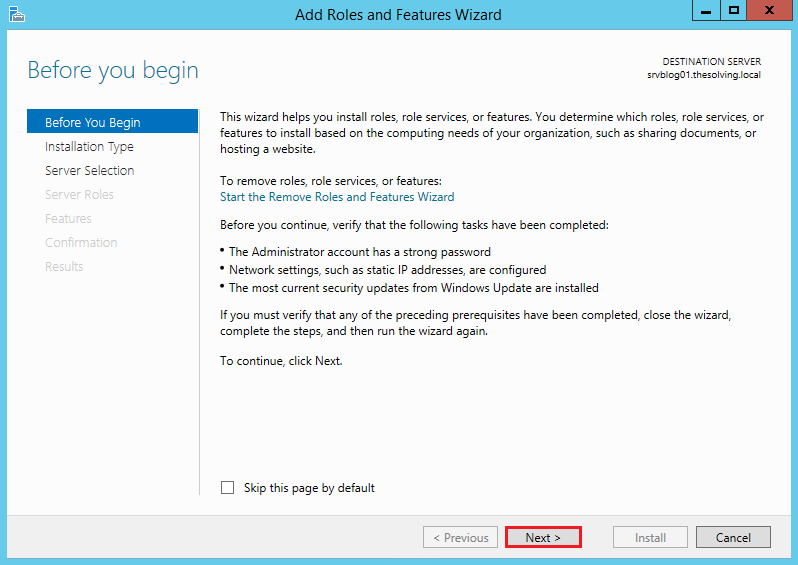
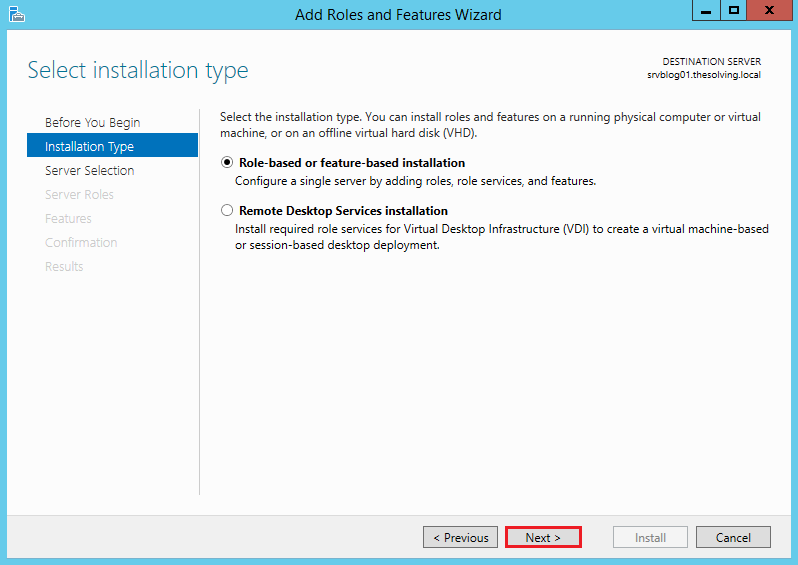
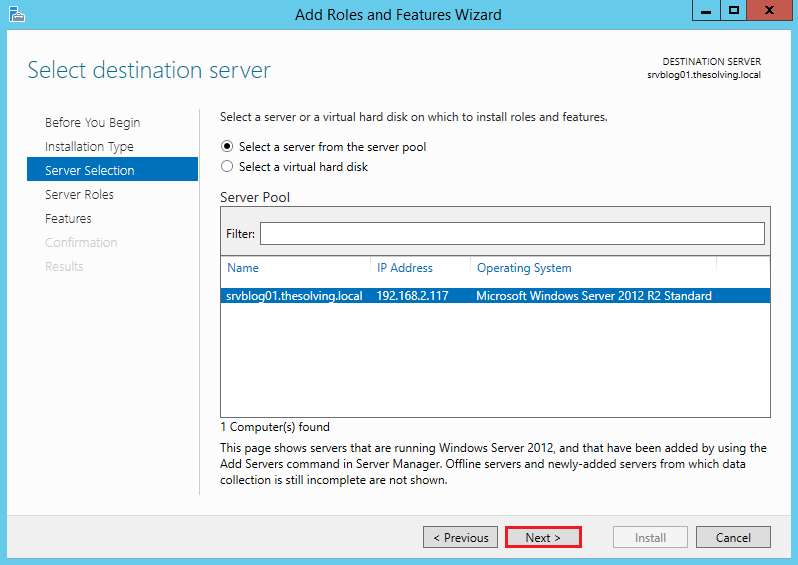
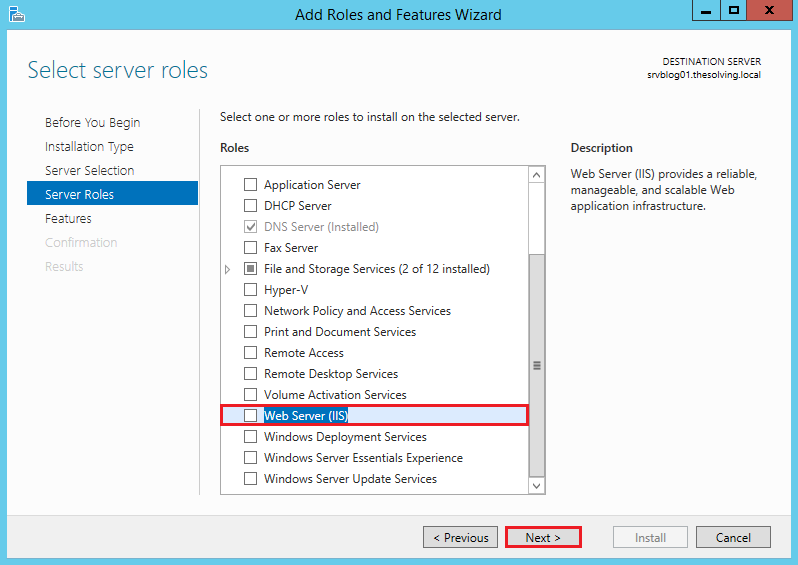
Go on until you reach the Server Roles tab:
Select Web Server (IIS):
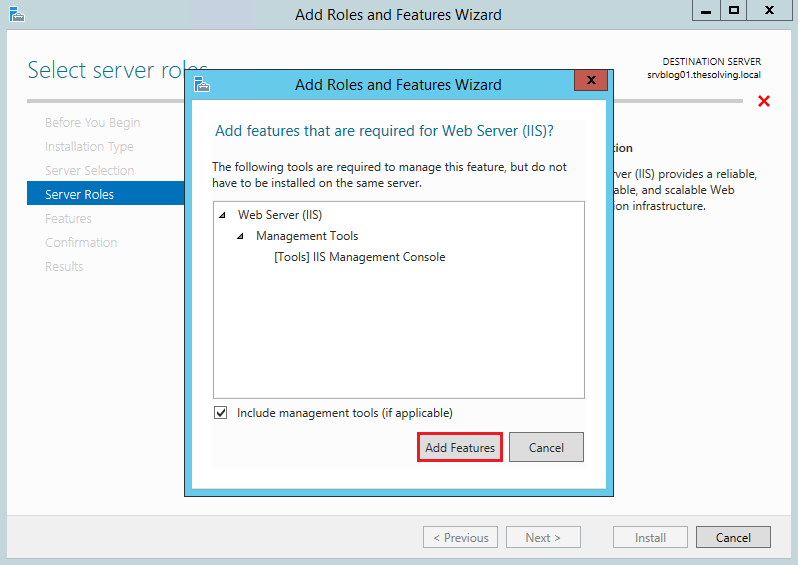
Click Add Features:
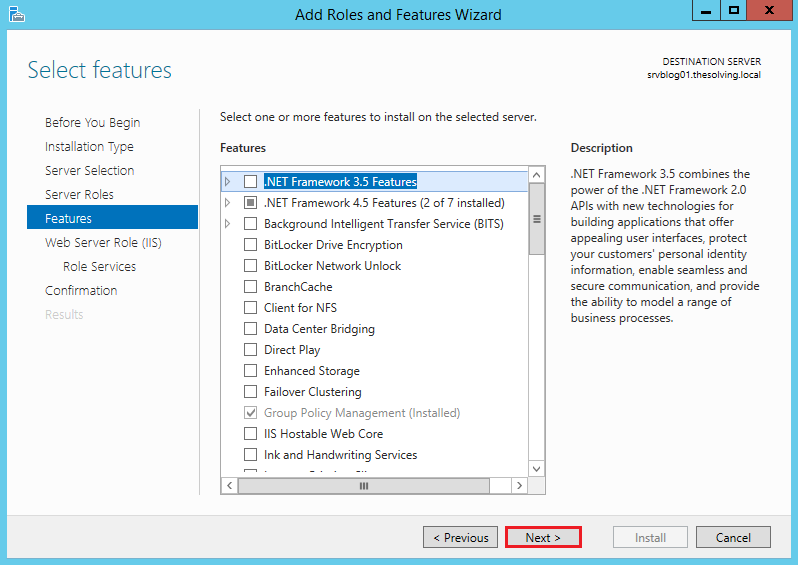
Ignore the Features tab and go on:
Click Next:
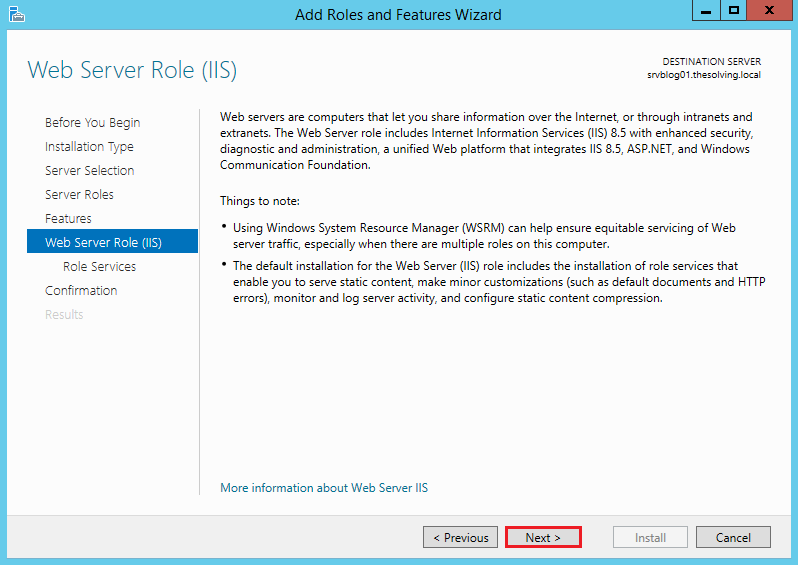
The default configuration will be fine. Click Next:
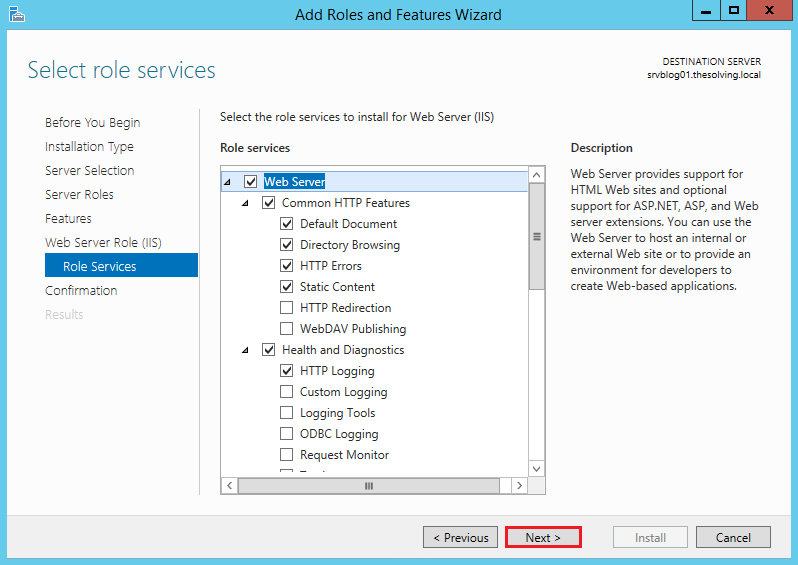
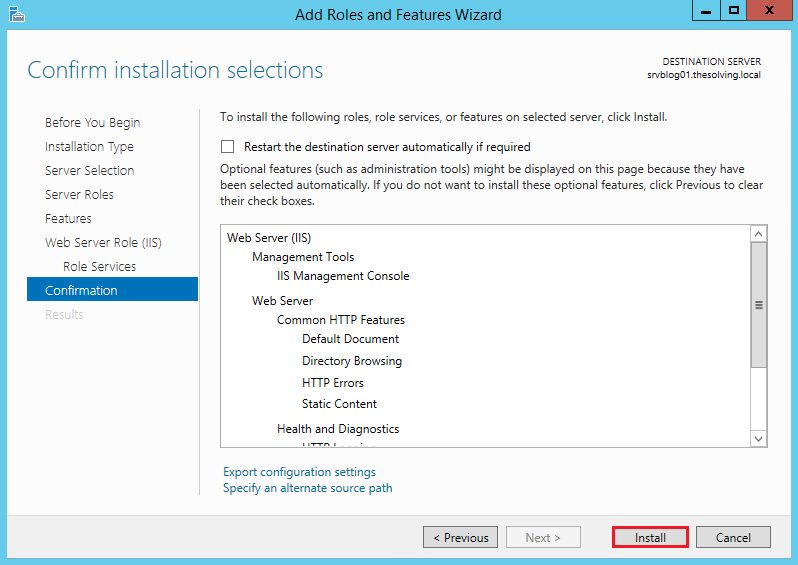
Click Install:
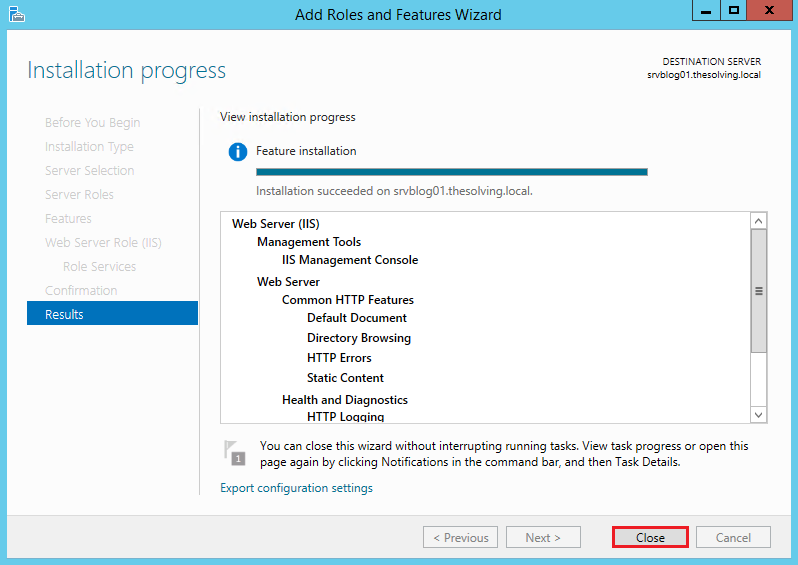
Installation completed!
Step two: Configure IIS
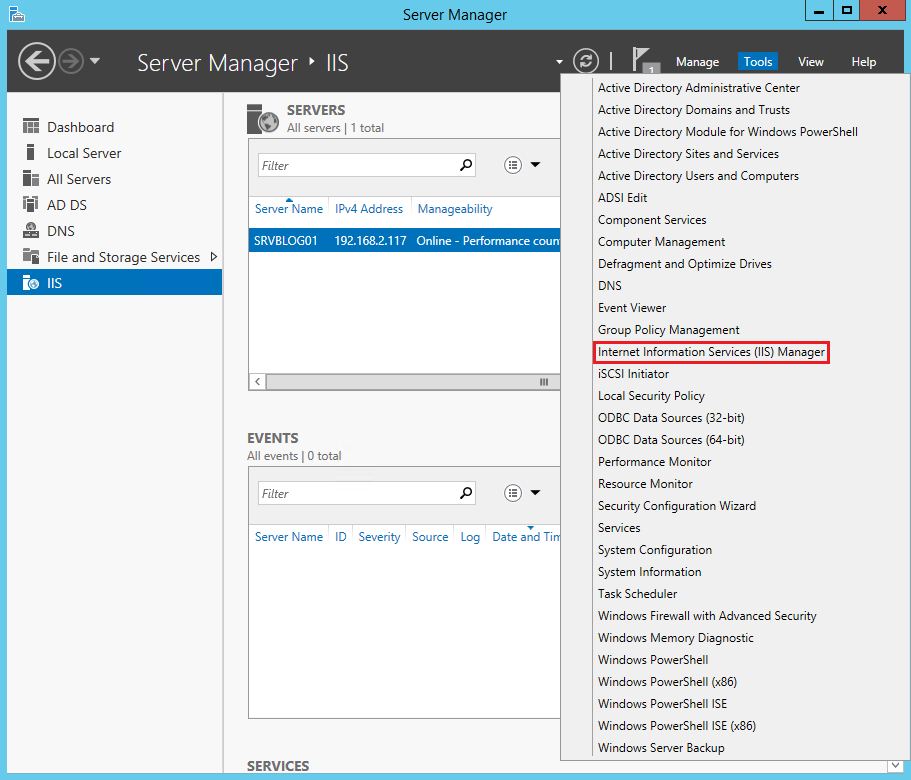
Go back to the Server Manager. Select Internet Information Services (IIS) Manager from the Tools menu:
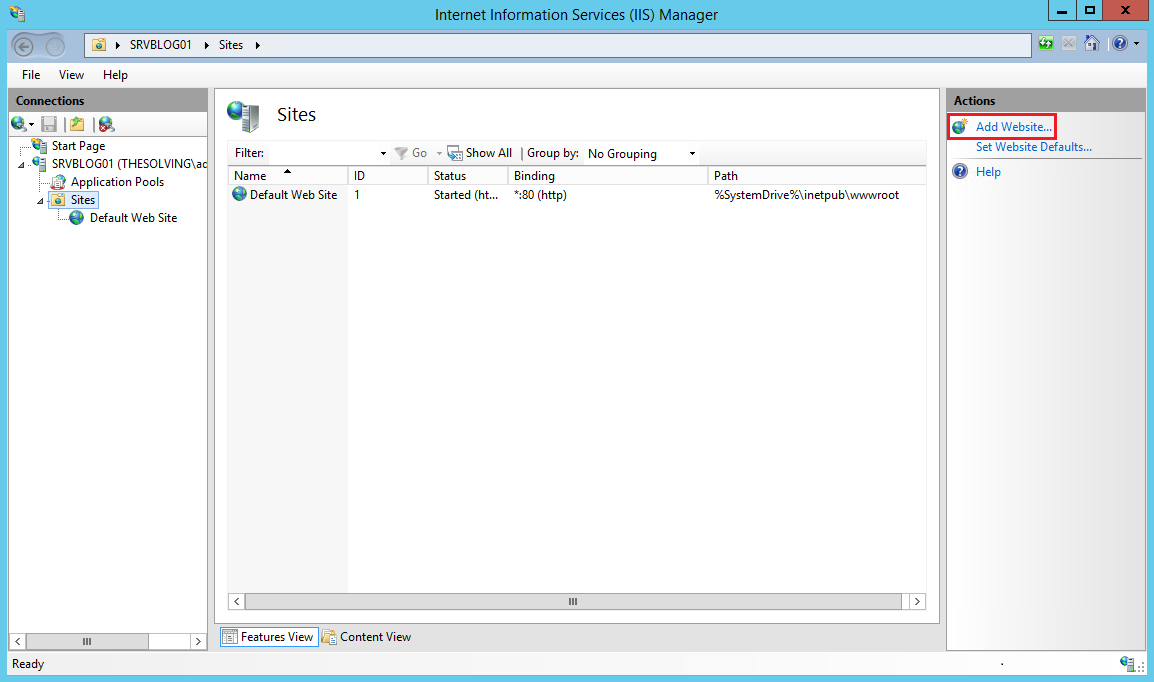
Click Add Website:
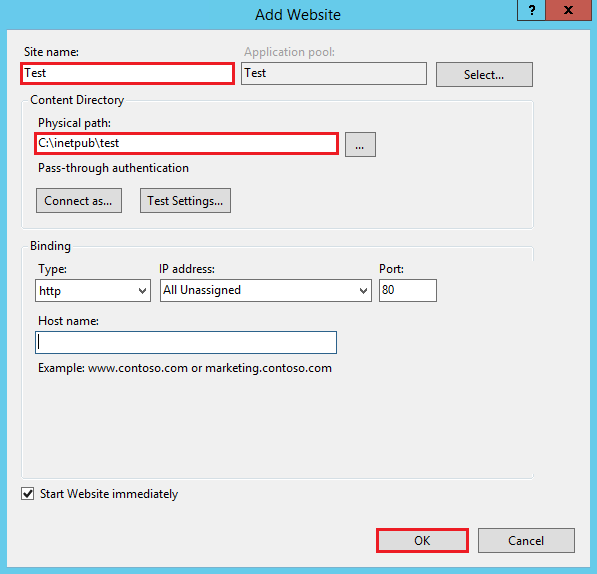
Specify at least the site name and path. Click Ok:
Your first site is ready to be accessed.
Read related articles
How to install and configure Windows Server Update Services (WSUS) in 2026
Windows Server Update Services (WSUS) is the Microsoft component that allows centralized distribution of updates across Active Directory domains, optimizing
Sysprep in 2026: practical guide for sysadmins and MSPs
Sysprep (System Preparation Tool) is the Microsoft tool used to prepare a Windows installation for cloning. During installation, Windows generates
A Guide to PowerShell – part 3
Welcome to part 3 of 3 of The Solving A guide to PowerShell. Check also Part 1 and Part 2.