

 Italiano
 Español
Microsoft has recently issued a Windows 10 update, code KB4074588, that is causing many headaches to system admins and IT staff.
It’s not clear what triggers the problem, but in the affected systems the update compromises the USB ports causing input devices such as mouse and keyboard to stop working.
The user is left without the possibility to interact in any way with his PC.
How to fix this mess?
Gaining control of the machine
If the PC/server has PS/2 ports, use them to control the machine. If not, a viable solution is to access the machine with a remote desktop software like Supremo – if present – or through Remote Desktop (RDP).
If even this solution is not available, you can try to force the Safe Mode (mouse and keyboard works there) hard-shutting down your machine several times. We don’t suggest this method, it’s dangerous and can damage the operating system.
Fixing the problem
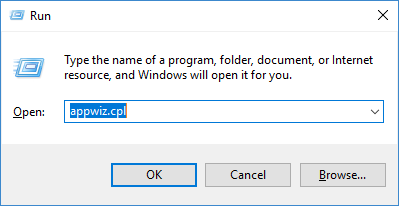
Run the command appwiz.cpl:
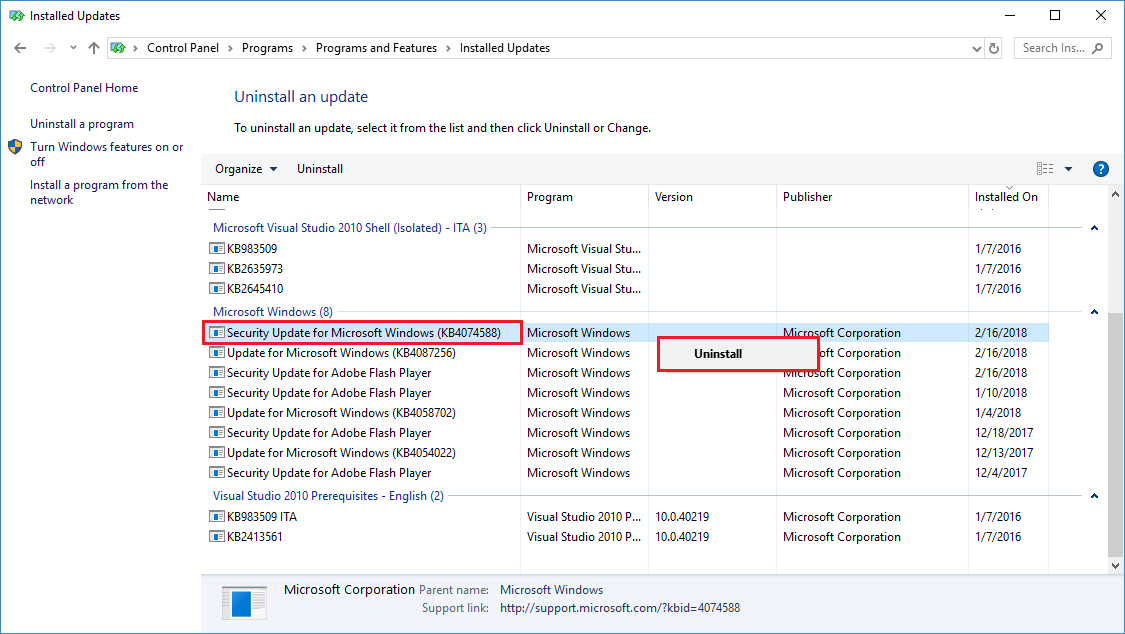
Uninstall the KB4074588 update:
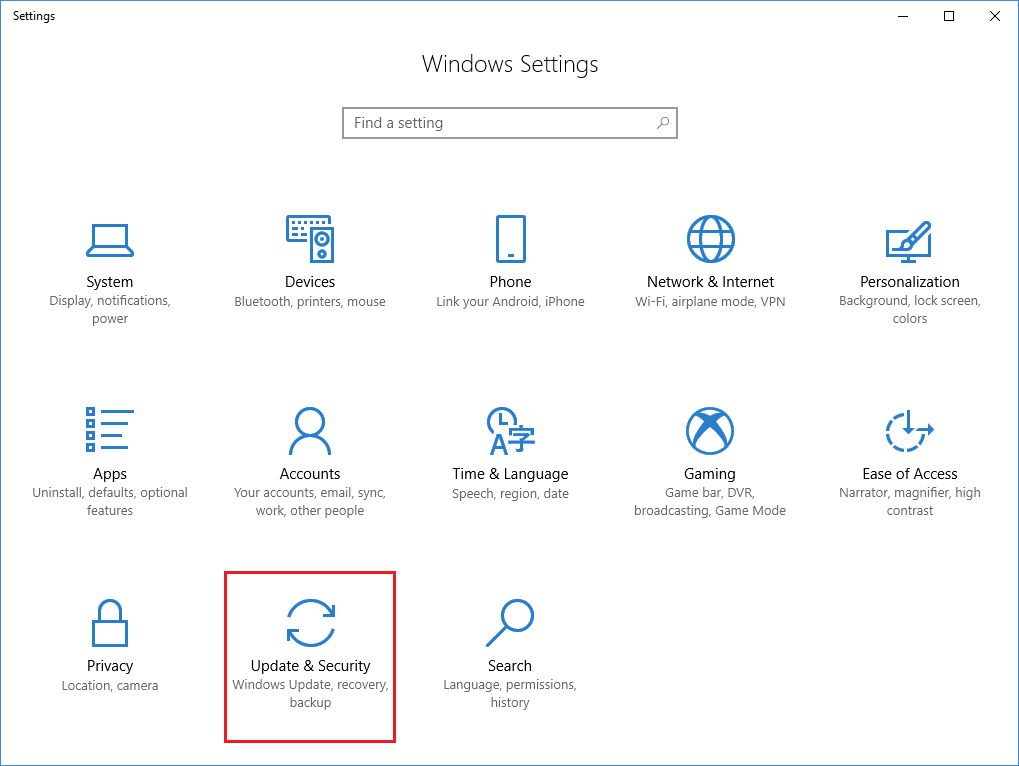
Open the Windows settings, choose Update & Security:
Click Advanced options:
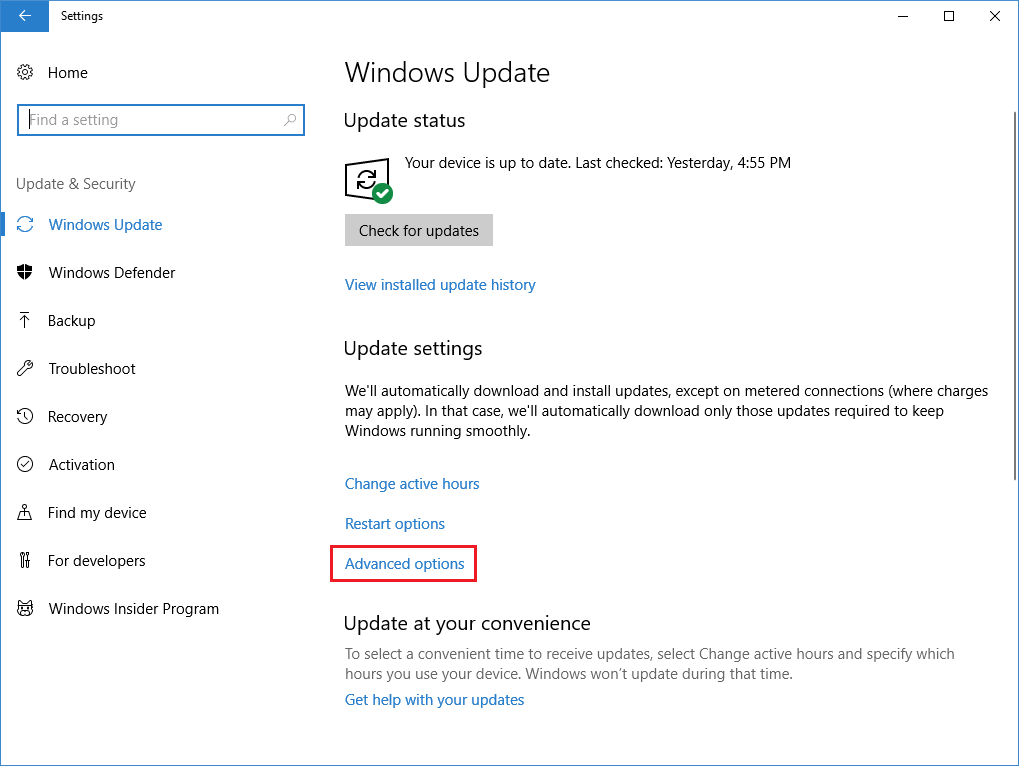
Pause Updates:
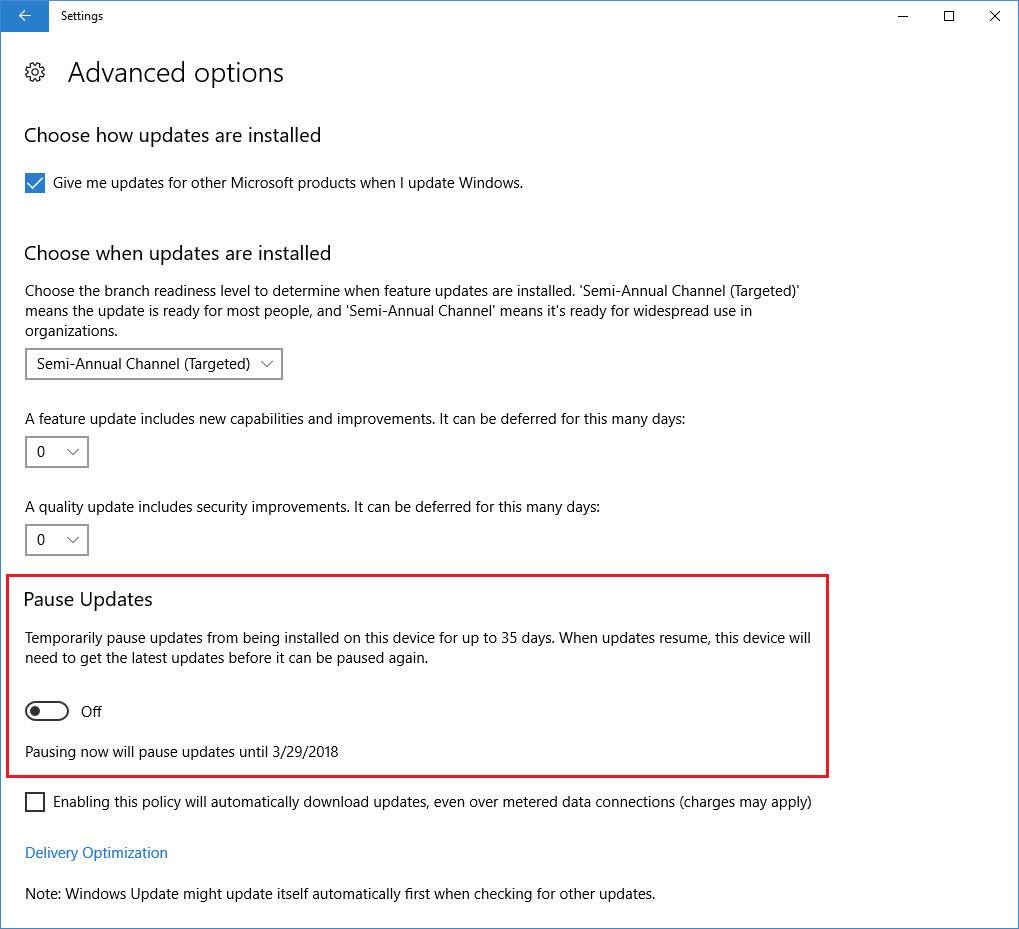
Now you’re ready to reboot the machine and get your mouse and keyboard back. The Pause Updates setting will prevent Windows from re-installing the update for a while, giving time to Microsoft for fixing it.
Read related articles
How to configure static routes to route traffic through a specific gateway
Learn how to configure static routes on Windows Server and Windows 11 using route add and PowerShell’s New-NetRoute, so traffic to specific destinations takes the gateway you choose.
How to reset NTFS permissions with ICACLS
Learn how to fix broken NTFS/ACL permissions on Windows Server using ICACLS: reset ACLs, handle access denied errors, take ownership, and back up permission trees safely.
Configuring and using Windows Deployment Services (WDS)
A 2026 guide to WDS: installation, PXE boot, boot/install images, and the limitations introduced with Windows 11 and Server 2025.