

 Italiano
 Español
Thanks to VMware vCenter Converter, it’s not difficult to convert a Workstation virtual machine into an ESXi one. The two platform aren’t compatible, you can’t simply move the VM files from a server to another one, but vCenter Converter gives us a simple procedure to get the job done.
You can download VMware vCenter Converter directly from this link, the system will ask you to register.
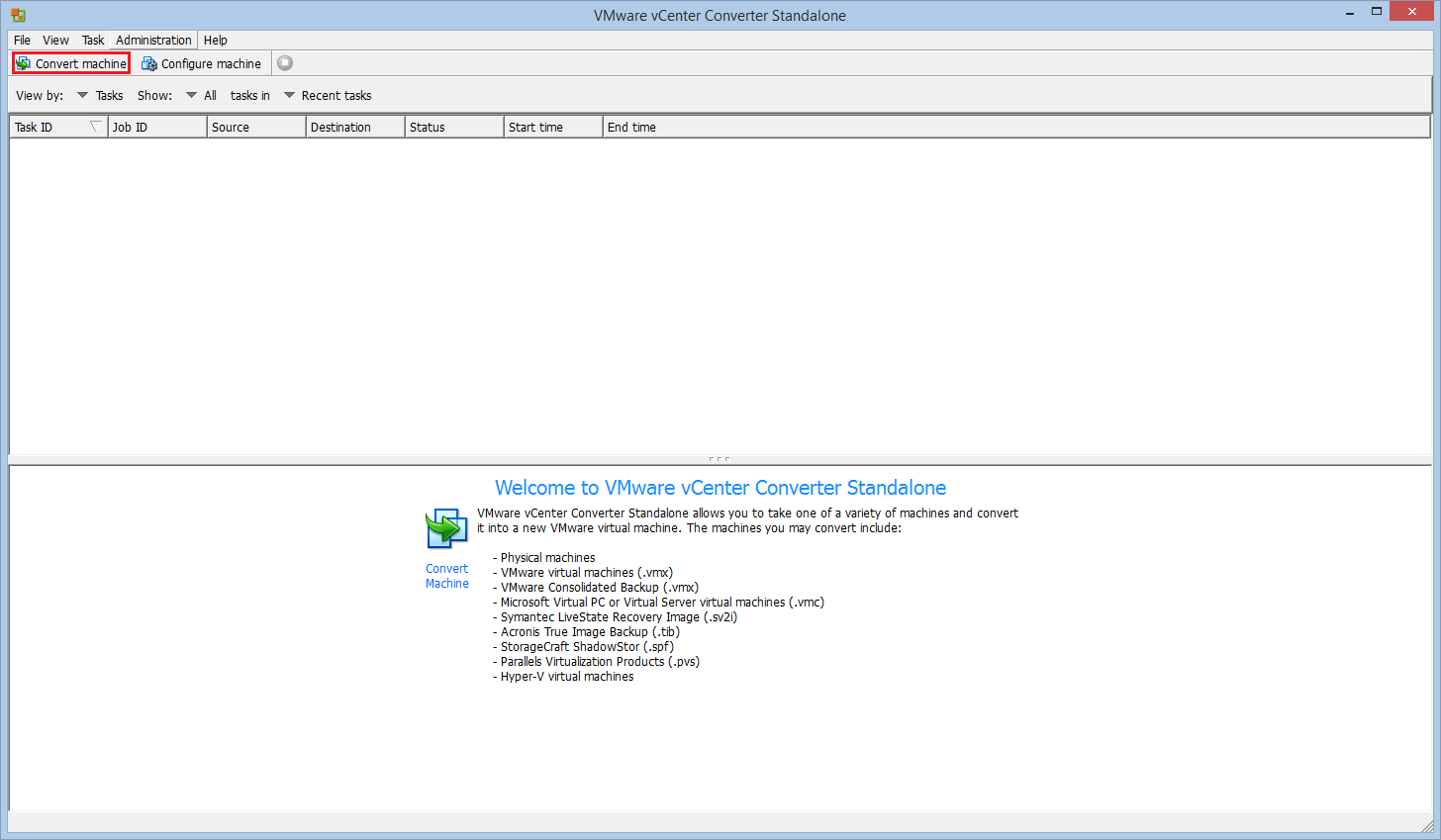
Install and run the program, then click Convert machine:
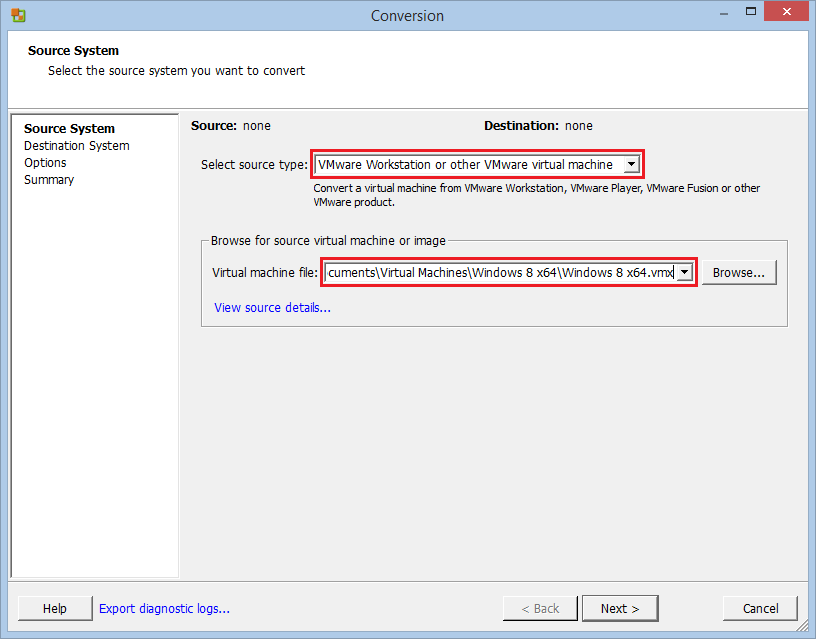
Select VMware Workstation as the source type and specify the path of the virtual machine:
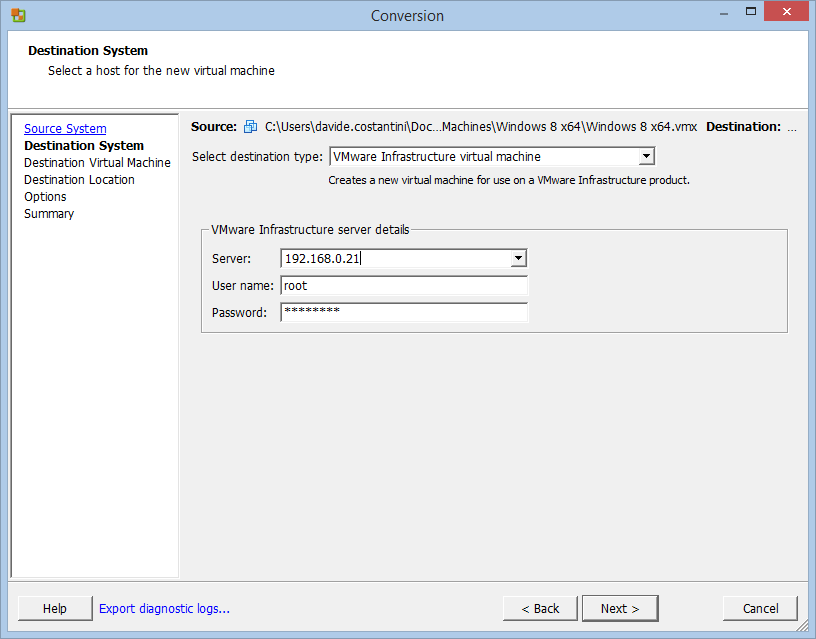
Specify the access credentials of the ESXi server:
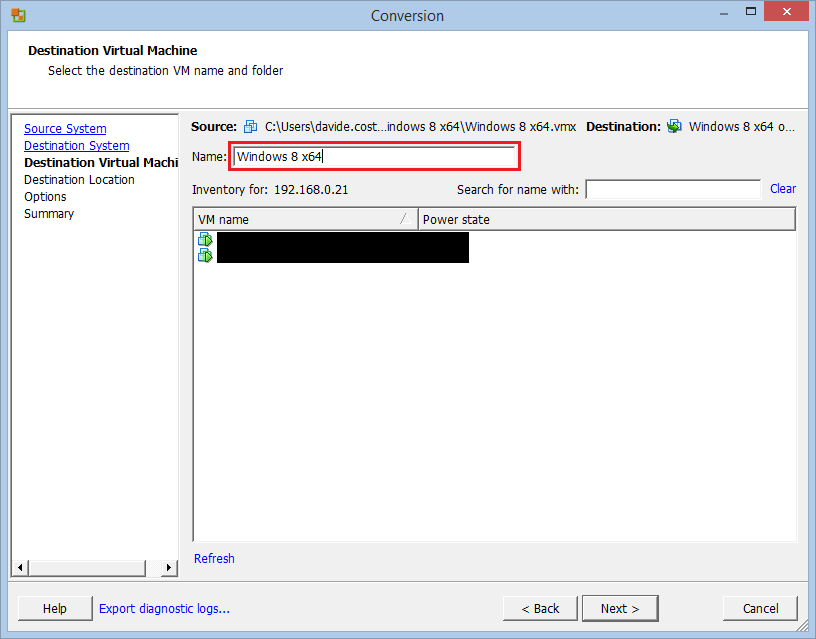
Give a name to the new VM:
Select the datastore where the converted VM will be put:
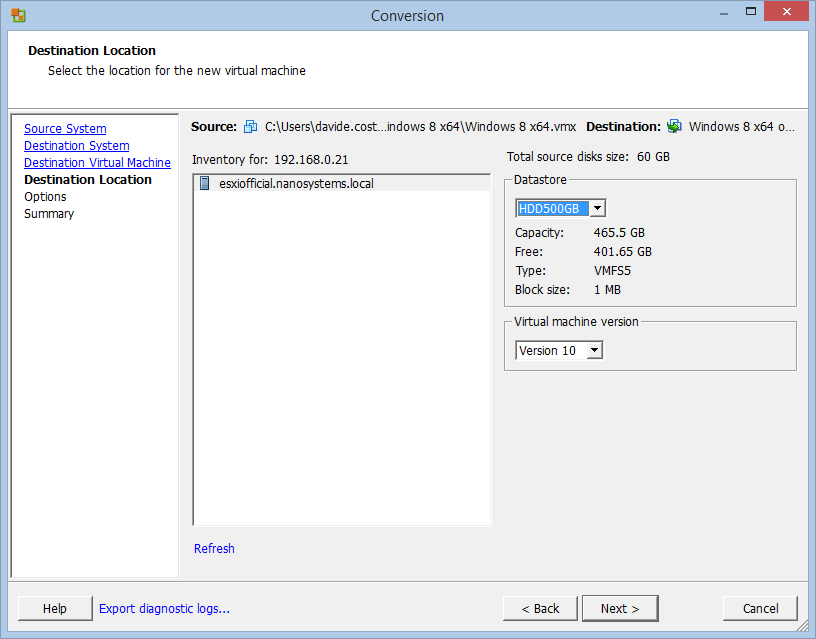
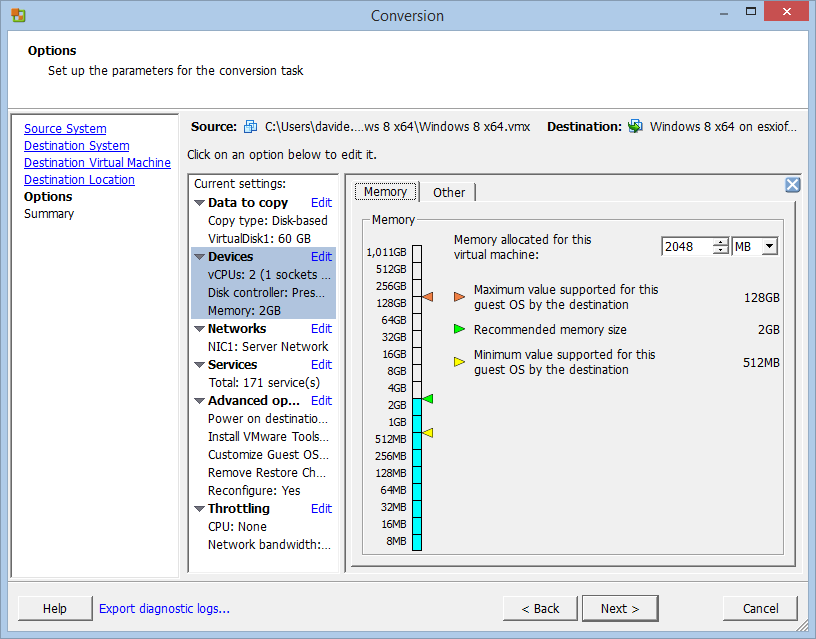
Configure the VM:
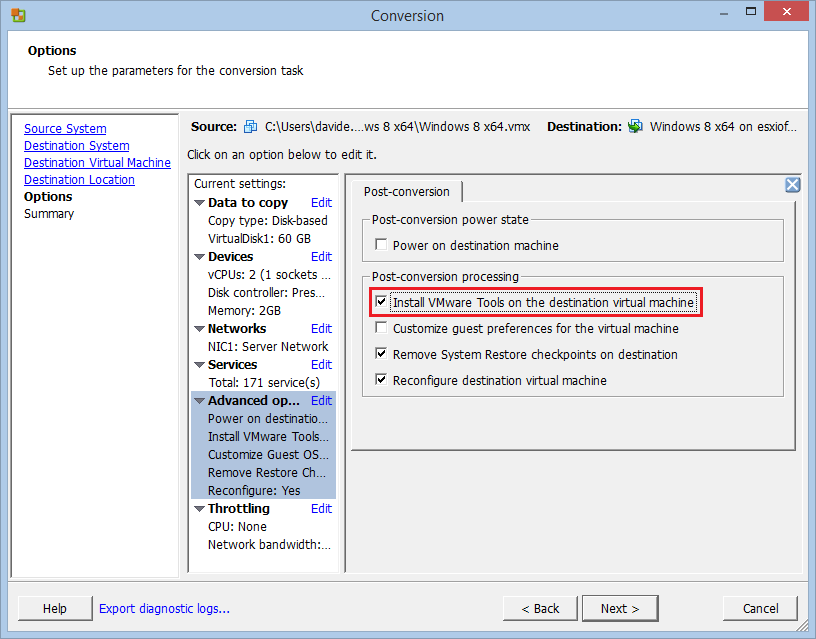
Enable the installation of VMware Tools (not mandatory but strongly suggested):
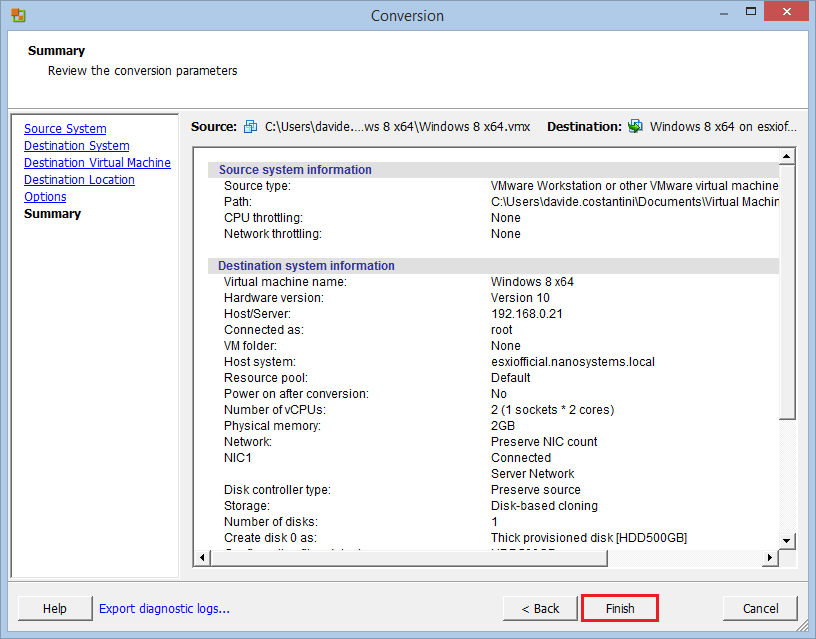
Click Finish to start the conversion:
Read related articles
How to install and configure VMware ESX 9.1 in 2026
Install and configure VMware ESX 9.1 (formerly ESXi) step by step: hardware requirements, ISO download from the Broadcom portal, DCUI network setup, Host Client access and the new licensing model.
VMware vSphere Client in 2026: how to access and manage vCenter
There is no VMware vSphere Client to download in 2026. Access vCenter through the built-in HTML5 client at https:///ui, manage standalone ESXi hosts via the Host Client, and automate with VCF PowerCLI. This guide covers the free ESXi Hypervisor, VCF 9, support timelines, and migration paths for MSPs.
Install VMware ESXi on a Hyper-V
It is possible to use nested virtualization to run VMware ESXi as a Virtual Machine in Hyper-V. To some, this